Subscription Cancellation
A User can cancel their subscription at any time.
If the subscription cancellation request is made within 30 days of the purchase or renewal date, the refund will be processed automatically in accordance with our Refund Policy - 30 Daysrefund policy. In this case, access to the software will be removed once the refund has been processed.
If the cancellation request is made more than 30 days after the purchase or renewal date, NO REFUND will be provided.
For subscription cancellations made after the 30-day refund period, access to the software will remain active until the end of the current subscription period, regardless of when the cancellation request is submitted. The cancellation simply prevents future renewals from occurring.
Once the subscription period expires, access to the software will be discontinued.
How to Cancel A Subscription
Option 1: Do it yourself from the Dashboard
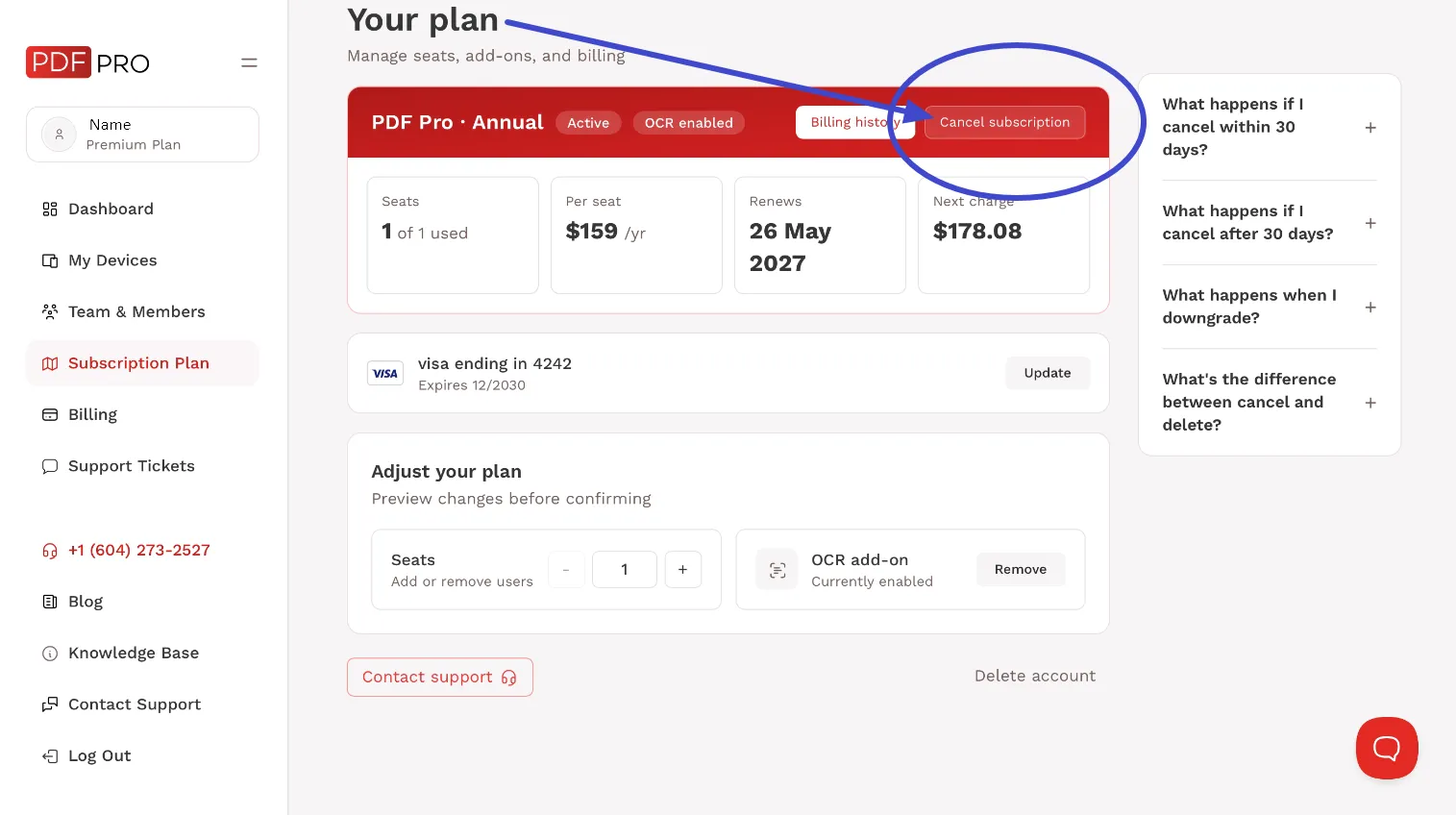
From your DashboardDashboard, under Subscription Plan, select Cancel subscription
Follow the onscreen instructions
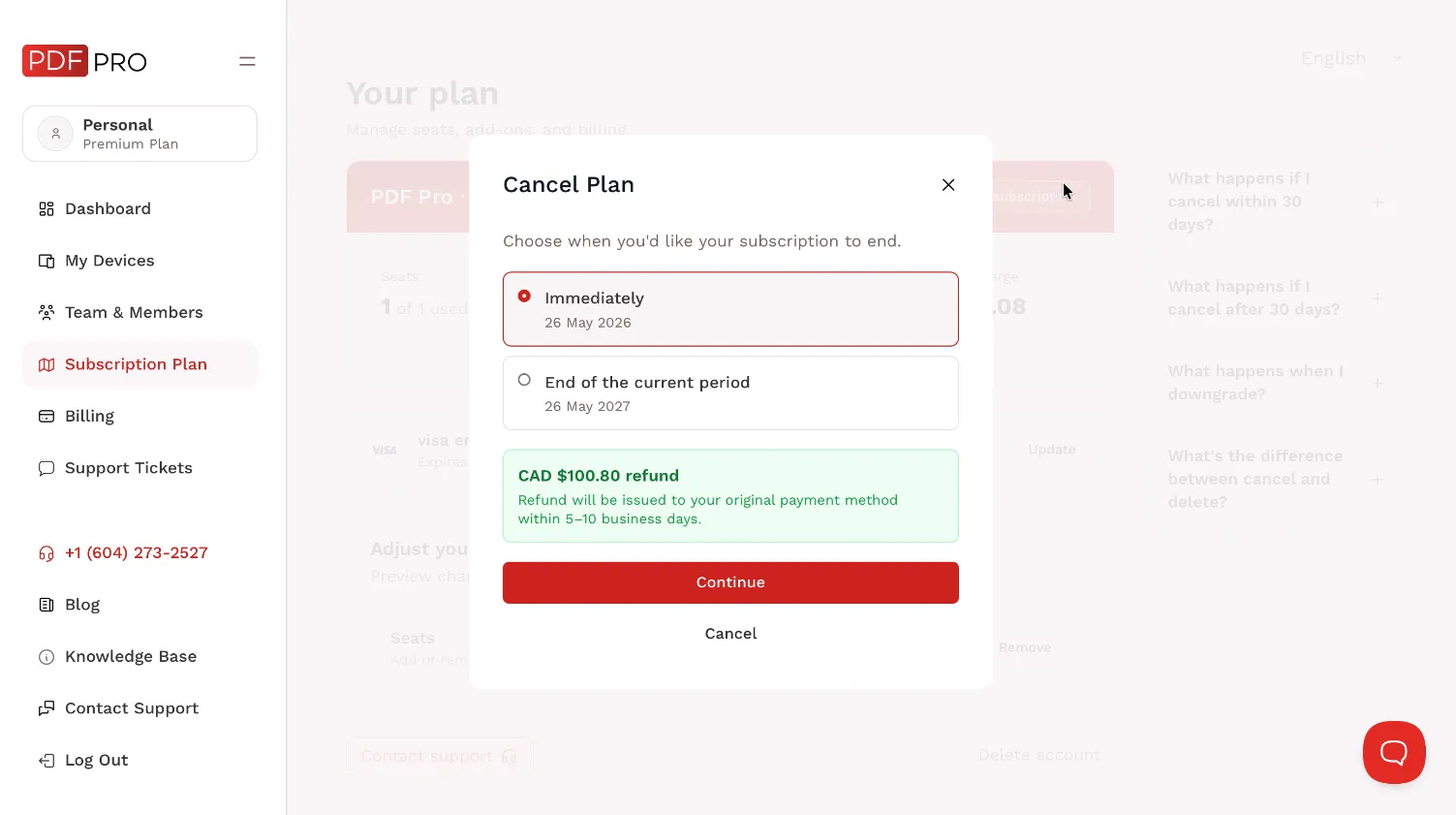
Choose when you would like the subscription to end.
Immediately will proceed with the refund if purchase was within the last 30 days.
End of current period does not process a refund. It just does not renew the subscription after the current period ends.
Note - A perpetual license can only be refunded within the first 30 days after purchase. There will be no option to cancel at end of current period.
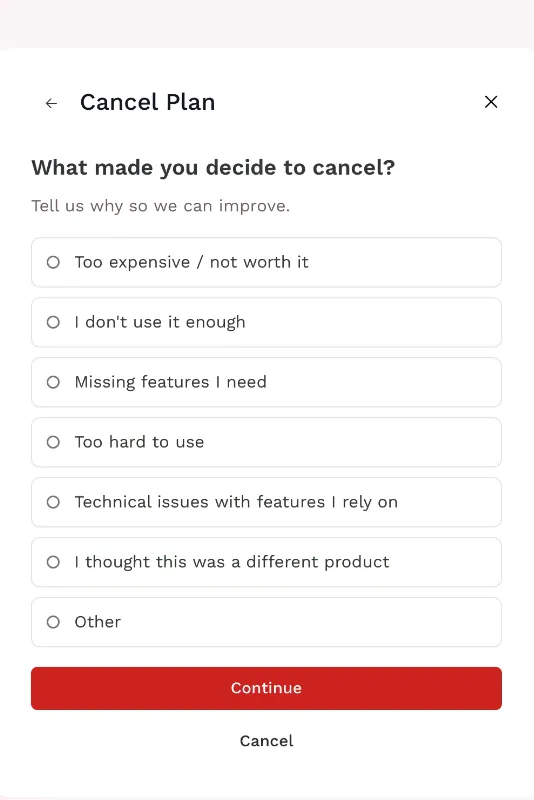
Tell us why you decided to cancel.
Reminder what you will be losing if you cancel.
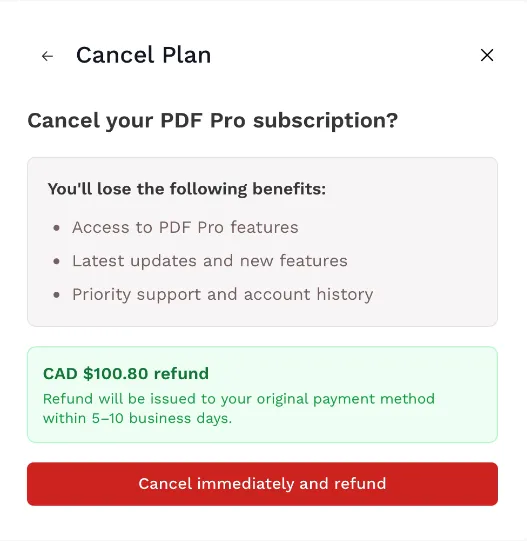
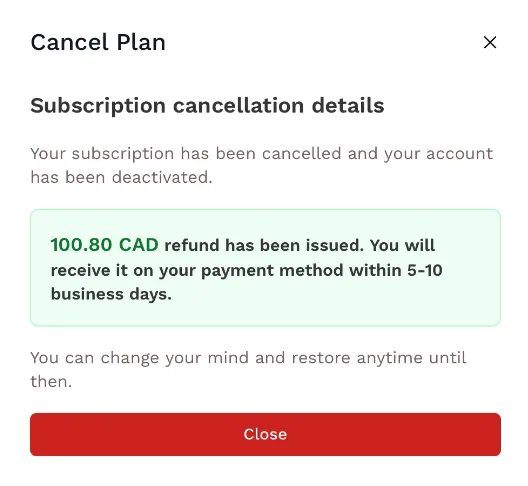
Subscription cancellation Details
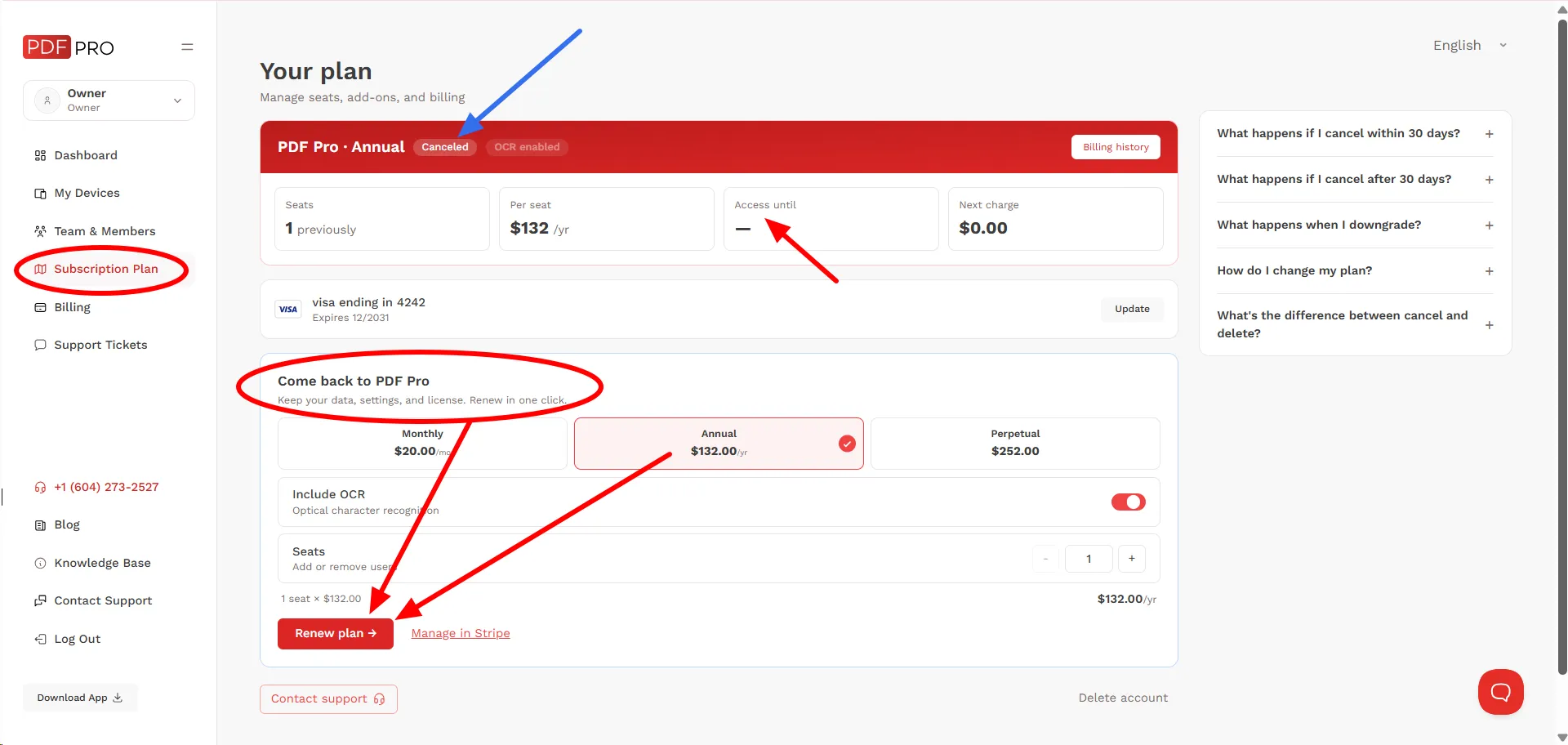
Dashboard updated
Below is the updated screen of your Subscription Status.
Note the options to Renew the same plan, or upgrade to other Subscription plans.
For additional information on changing plans, please see the following chapter: Subscription Change
Option 2: Request a Subscription Cancellation
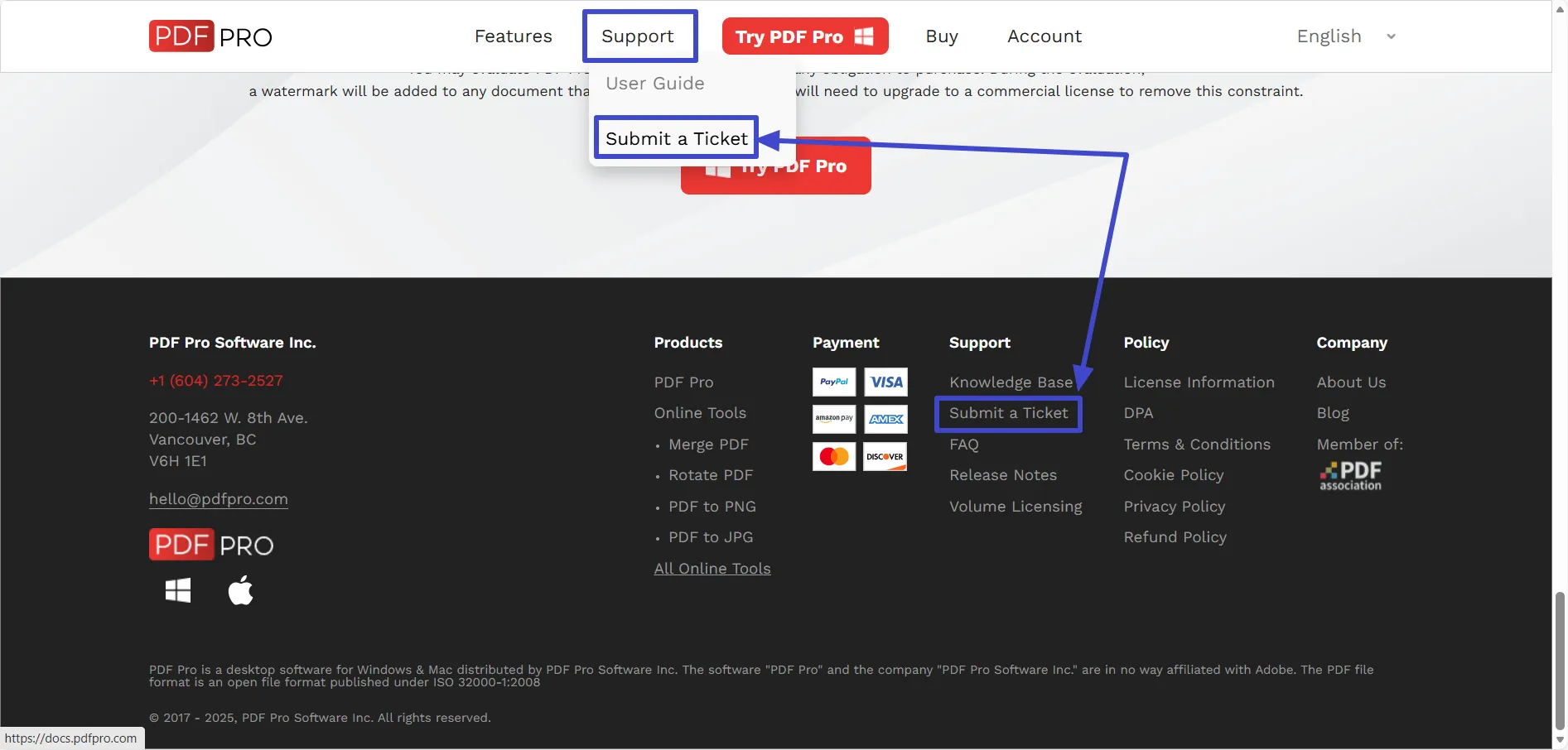
To request a subscription cancellation, please contact Customer Support and submit a support ticket.
Please make sure to include your order number as well as the email address used to make the purchase.
Support can be reached at the following URL: Customer Support
Refund Processing Time
We typically require 1-2 business days to initiate the refund process, depending on the volume of support requests. Once processed, the refund should appear on your credit card within 5-10 business days. If it takes longer please contact your bank for assistance.